Revised Nov. 29, 2016
According to a “New York Times” article of 4 Dec 2008 by Nicholas Wade, DNA studies by Mark Jobling of the University of Leicester in England and Francesc Calafell of Pompeu Fabra University in Barcelona, Spain have found that of the population of the Iberian Peninsula (which includes the countries of Spain, Portugal, Andorra, and the British dependency of Gibraltar), about 20% have Jewish ancestry and 11% have Moorish ancestry. Says Wade: “Spain and Portugal have a history of fervent Catholicism, but almost a third of the population have a non-Christian genetic heritage.”
This is the story of one such line, and its survival into the modern era.
BIBLIOGRAPHY
Archaeologia Cambrensis The Journal Of The Cambrian Archaeological Association Fourth Series Vol. X No. 37 January 1879. London: J. Parker, 377, Strand, London.
A very useful resource for Welsh history and genealogy. pp. 71-72 mentions Lampeter in Cardiganshire in connection with a detailed account of the Griffith family of Wichenor in Staffordshire. Issues from 1846–1899 plus index may be read online at:
http://europeana-journals.llgc.org.uk/browse/listissues/llgc-id:2919943
*
Boulger, Demetrius, ed. (1888). The Asiatic Quarterly Review Volume VI July–October 1888 July 1888. London: T. Fisher Unwin, 26 Paternoster Square.
Demetrius Charles Boulger (1853–1928) was a prolific British historian and a member of the Royal Asiatic Society. Available as free download from HathiTrust Digital Library. Search under “Demetrius Boulger.” Subject “Asia.” Death of Sir Henry Skipwith II: see pp. 391–393.
*
Bridgeman, M.A., Rev. The Hon. George T.O. (1876). History Of The Princes Of South Wales. Millgate, Wigan.: Thomas Birch
Available as free download from Google Books. George Thomas Orlando Bridgeman (1823–1895), educated at Harrow and Trinity College, Cambridge, was the 2nd son of the 2nd Earl of Bradford. He was a member of a family long associated with the Church of England, and became a prominent cleric in his own right.
*
Burlington Fine Arts Club. (1916). Catalogue Of A Collection Of Objects Of British Heraldic Art To The End Of The Tudor Period. London: Chiswick Press Charles Whittingham And Co.
The Burlington Fine Arts Club of London (1866–1952) was a gentleman’s club of amateur art enthusiasts which held exhibitions in its clubhouse. See pp. 3–5 for Blount heraldry incorporating Ayala.
*
Croke, Sir Alexander; of Studley Priory, Oxfordshire. (1823). The Genealogical History Of The Croke Family Originally Named Le Blount Vol. II. Oxford: W. Baxter for John Murray, Albemarle Street, London; and Joseph Parker, Oxford.
Available as free download from Internet Archive. Sir Alexander Croke graduated Doctor of Civil Law from Oriel College, Oxford. Chapter III of Vol. II contains extensive material on the family of Sancha de Ayala. It would be pointless to address the errors, chief among them the purported de Ayala descent from Urraca, daughter of “Alonso,” king of Leon. Ironically, the Croke family didn’t descend from the Blounts.
*
Farmerie, Todd A.; Taylor, Nathaniel L. (1998). NOTES ON THE ANCESTRY OF SANCHA DE AYALA. Prepublication MS of article subsequently published (with minor emendations) in the New England Historical and Genealogical Register 103 (1998), 36–48.
Todd Alan Farmerie is co-owner of Internet message board “soc.genealogy.medieval.” Farmerie claims descent from Robert Abell, a descendant of Sancha de Ayala. Taylor, of Barrington, Rhode Island, holds a PhD in Medieval History from Harvard, and is a professional genealogist and Fellow of the American Society of Genealogists. Article is available on the Internet under the above title. Some references cited are in Spanish. The article refutes three claims of royal ancestry and two claims of descent from Muslim princesses. The article doesn’t present Sancha de Ayala’s actual ancestry, leaving the reader with the impression there’s little of interest in her pedigree. Farmerie and Taylor claim “Sancha is also an ancestress of Queen Elizabeth II,” without giving the descent; and acknowledge George Washington’s family as among Sancha’s descendants. Unfortunately, genealogy being the rather dry subject it often is, linking Medieval lines to more recent historical figures has become a shameless method of promoting the author’s work. Article can be viewed at:
http://nltaylor.net/pdfs/a_SanchaNotes.pdf
*
Fletcher, Richard. (2006). Moorish Spain. Berkeley and Los Angeles: University of California Press.
Richard Fletcher was Professor of Medieval History at University of York, UK.
*
Fletcher, Richard. (1990). The Quest for El Cid. New York: Alfred A. Knopf, Inc.
Same author bio as above.
*
G.E.C. (1900). Complete Baronetage Volume I 1611–1625. Exeter: William Pollard & Co., Ltd. 39 & 40 North Street.
Available as free download from Internet Archive. Series consists of 5 volumes with a 6th volume as an index. George Edward Cokayne was Clarenceux King of Arms Herald at the College of Arms, London.
*
Goodman, Anthony. (1992). John of Gaunt The Exercise of Princely Power in Fourteenth-Century Europe. Burnt Mill, Harlow, Essex: Longman Group UK Limited.
Anthony Goodman is English Professor Emeritus of Medieval and Renaissance Studies at the University of Edinburgh.
*
Henze, Paul B. (2000). Layers of Time: A History of Ethiopia. New York: Palgrave.
Paul B. Henze was a former CIA and National Security Council specialist. After leaving government service he became a consultant for the RAND Corp. Henze devotes little of his text to slavery, but notes it had ancient origins in Ethiopia, which he identifies as probably part of the Land of Punt.
*
Hitchcock, Richard. (2008). Mozarabs in Medieval and Early Modern Spain Identities and Influences. Burlington, VT: Ashgate Publishing Company.
Richard Hitchcock is Professor Emeritus at the Institute of Arab and Islamic Studies, University of Exeter, UK.
*
Howard, L.L.D., F.S.A., Joseph Jackson; ed. (1868). Miscellanea Genealogica et Heraldica Vol. I. London: Hamilton, Adams, And Co.
Available as free download from Google Books. Joseph Jackson Howard (1827–1902), British attorney, started the periodical Miscellanea Genealogica et Heraldica in 1866 and was a founder of the Harleian Society. An extremely valuable resource for British genealogy.
*
Keay, John. (1991). The Honourable Company A History of the English East India Company. New York: Macmillan Publishing Company.
John Keay is a British author specializing in Asia, exploration, and Scotland.
*
Marotti, Arthur F. (1995). Manuscript, Print, and the English Renaissance Lyric. Ithaca, NY and London: Cornell University Press.
Arthur F. Marotti is professor of English at Wayne State University, Detroit, MI. pp. 41 & 196–199 discuss the poetry of William, Henry, and Thomas Skipwith.
*
Netanyahu, B. (2001). The Origins Of The Inquisition in Fifteenth Century Spain Second Edition. New York: The New York Review of Books.
Benzion Netanyahu (1910–2012) was Professor Emeritus of History at Cornell University and the father of Israeli Prime Minister Benjamin Netanyahu. This massive volume is considered authoritative on Jews and the Inquisition. Of interest is a discussion of the position of Jews under the Visigoths. The background on the massacre of Jews in Toledo in 1109 following the death of Alfonso VI and the attendant conversions is especially germane to the Sancha de Ayala case study.
*
Pryce, Huw, ed.; Insley, Charles, asst. ed. (2005). The Acts Of Welsh Rulers 1120–1283 Published on behalf of the History and Law Committee of the University of Wales Board of Celtic Studies. Cardiff: University Of Wales Press.
Huw Pryce was educated at Jesus College, Oxford, and is Professor of Welsh History at Bangor University. Charles Insley is Senior Lecturer in Medieval History at The University of Manchester. This volume is essential for genealogists working with Welsh royal lines. pp. 165–166 document use of the name “Lampeter” in the reign of King Henry I of England.
*
Reinhardt, Nicole. (2016). Voices of Conscience Royal Confessors and Political Counsel in Seventeenth-Century Spain and France. Oxford: Oxford University Press.
Nicole Reinhardt is Director of Postgraduate Studies and Senior Lecturer Early Modern European History in the Department of History at Durham University, UK. pp. 12-13 discusses the mid-thirteenth-century Castilian law-code Siete Partidas (a seven-part legal code) which addresses the position of the royal chaplain, stressing the importance of employing a particularly sophisticated, learned, and loyal clergyman, possibly the most prestigious court prelate. Among the chaplain’s functions was to confess the king. There was an implication that politics were part of the confession.
*
Richardson, Douglas; Everingham, Kimball G., ed. (2013). Royal Ancestry A Study In Colonial And Medieval Families Volume V. Salt Lake City, Utah: The Author.
Douglas Richardson was educated at University of California (Santa Barbara) and University of Wisconsin (Madison). Richardson is a professional genealogist and author based in Salt Lake City. His “Royal Ancestry Series”, though not without error, comprise the best books of their type. Volume V pp. 321–323 contains extensive notes on George Washington’s ancestors, including the descent from Constance Blount and the Lawrence Washington/Margaret Butler marriage.
*
Roberts, Gary Boyd. (2012 reprint). Ancestors of American Presidents 2009 Edition compiled by Gary Boyd Roberts with charts prepared in part by Christopher Challendar Child from originals by Julie Helen Otto. Boston: New England Historic Genealogical Society.
Gary Boyd Roberts is Senior Research Scholar Emeritus at the New England Historic Genealogical Society. pp. 659-664 show descents from Sancha de Ayala for these Presidents of the United States: William Henry Harrison, Benjamin Harrison, George Herbert Walker Bush, George Walker Bush, Franklin Delano Roosevelt, George Washington (two lines), Grover Cleveland, Herbert Clark Hoover, and Gerald Rudolph Ford. I’m not fond of omnibus volumes like this one. Anything here should be independently verified.
*
Roth, Norman. (2002). Conversos, Inquisition, and the Expulsion of the Jews from Spain With a new afterword. Madison, WI: The University of Wisconsin Press.
Norman Roth is Professor Emeritus of Hebrew and Semitic Studies at University of Wisconsin–Madison.
*
The Publications Of The Surtees Society Established In The Year M.DCCC.XXXIV Vol. XLV. For The Year M.DCCC.LXIV. (1865). Testamenta Eboracensia. A Selection Of Wills From The Registry At York. Vol. III. Durham: Andrews And Co.; etc.
The Surtees Society, founded in 1834, is dedicated to publishing manuscripts illustrative of the ancient kingdom of Northumbria. For the will of Sir Walter Griffith see pp. 269–270.
*
Wrottesley, Major-General The Hon. G. (1905). Pedigrees From The Plea Rolls, Collected From The Pleadings In The Various Courts Of Law A.D. 1200 To 1500, From The Original Rolls In The Public Record Office. Pub: The Author.
Available as free download from Internet Archive and as reprint from Nabu. George Wrottesley (1827–1909), 3rd son of John Wrottesley, 2nd Baron Wrottesley, was a prominent English army officer and an avid genealogist specializing in Staffordshire. He was a founder of The William Salt Archaeological Society which was devoted to the history of Staffordshire. In 1936 the Society became the Staffordshire Record Society.
__________________________________________
LINE
1. Sancha de Ayala m. Sir Walter Blount 2. Anne Blount m. Thomas Griffith 3. Sir John Griffith m. Katherine Tyrwhit 4. Rhys (Richard) Griffith m. Margaret — 5. Joan (Jane) Griffith m. (his 1st) Sir Lionel Dymoke 6. Alice Dymoke m. (his 2nd) Sir William Skipwith 7. Henry Skipwith m. Jane Hall 8. Sir William Skipwith m. (1st) Margaret Cave 9. Sir Henry Skipwith, Bart. m. (1st) Amy (“Tresham”) Kempe 10. Diana Skipwith m. (his 2nd) Edward Dale 11. Elizabeth Dale m. (his 1st) William Rogers 12. Hannah (Rogers) Mitchell m. (2nd) Edward Blackmore 13. Joseph Blakemore m. Anne Sanders 14. Hannah Blakemore m. (1st) William Duncan 15. Joseph Duncan m. Elizabeth Peters 16. Minerva Jane Duncan m. Peyton Milton Wilcox 17. Nancy Theodocia Wilcox m. (2nd) Thomas Calvin McMillen 18. Nora Ann McMillen m. (1st) Eric Lyman Vaughan 19. Hillary Lillian Vaughan m. Jesse Otto Jeffery Scarff 20. Valerie Berniece Jeffery Scarff m. Ralph Vernon Chipman.
SKIPWITH EXCURSUS.

(G.E.C., pp. 214-215.)

Above: This pedigree from The Visitation of Herefordshire 1569 purports to show the descent of William Cecil Lord Burleigh, Queen Elizabeth I’s most trusted advisor, and brother to Margaret Cecil, from Turberville, Lord of Coytiffe and Kyrikvoell. The Tudor era saw the rise of families of Welsh descent. The accuracy of the earlier portions of the pedigree is questionable; having been raised to the dignity of a baron Cecil felt an ancient tree must grow within it.
The children of Sir Henry Skipwith, Bart., and wife Amy Kempe were, in order of birth: William (died before father); Henry, 2nd Bart.; Elizabeth; Thomas (evidently died before his brother Henry); Diana; Grey, 3rd Bart.; Anne.
Blandina Acton, 2nd wife of Sir Henry Skipwith, was the daughter of John Penvin of Badgworth, Somerset, and widow of John Acton, a prominent London goldsmith.
A Gentleman of the Privy Chamber attended to the king in the king’s private apartment within a royal residence. This office, dating to the reign of King Henry VII, was a plum as it gave the holder considerable influence with the king. This explains why Sir Henry Skipwith entertained King Charles I at Cotes, as the two were friends of some standing. However, when King Charles II ascended the throne, the Skipwith family was unable to recover any property sold to pay the fine imposed by Parliament during the interregnum. Most such transactions were left intact by the new king who didn’t wish to unnecessarily antagonize his former enemies. He contented himself with hunting down and executing those who played the most prominent roles in the beheading of his father. The Skipwith family’s loyalty to the elder Charles counted for little with the son—hardly a singular tale—proving politics can be as murderous as the block.
So Grey Skipwith and his sister Diana, lacking any prospects in post-Restoration Britain, remained in the wilderness of Virginia—which had become their home in the mid-17th century. The following, abstracted by Fleet from Lancaster Co., VA Record Book No. 2, 1654–1666, p. 345, testifies to that relationship. Though Diana Skipwith belonged to a prominent family, she wasn’t a prominent member of that family, but settling in early VA as a single woman showed no lack of courage.

Sir Henry Skipwith was a poet of some reputation who composed “An Elegie on the Death of my never enough Lamented Master King Charles the first”: “Weepe, weepe even mankinde weepe, soe much is dead,” etc. He should have wept over his lack of business acumen—after years of contracting debt, the Parliamentary fine was sufficient to push him into insolvency.
In remembrance of ancestors who were poets, I’m inspired to contribute these verses, entitled The State of the Cavalier:
The king has lost his head
And is consequently dead.
Happy cavaliers
Just pickin’ and grinnin’.
Virginny ain’t such a bad place to be
But you might get scalped when you go out to pee.
Happy cavaliers
Just pickin’ and grinnin’.
We’ll all wind up in an unmarked grave.
There’s nothing left to save.
Happy cavaliers
Just pickin’ and grinnin’.
This next item, from the records of the East India Company, illustrates the large sums Sir Henry Skipwith risked, using land as collateral. The Parliamentary fine of 1,114 pounds, stiff though it was, should not of its own bankrupted him.

Richardson reports Sir Henry Skipwith was buried on 7 Nov 1655 at Stapleford in Leicestershire (during the 2nd year of The Protectorate), the actual source being a parish register; presumably he means the old church of St. Mary Magdalen, which was rebuilt in 1783 and now only used for civic functions. It’s said most of the family memorials were moved to the new church, but I have found no reference to Sir Henry Skipwith, so perhaps his was not.

(Flag of East India Company. Founded under royal charter, the Company was also favored by Oliver Cromwell. Lost ships were part of the cost of doing business. The Company sought to discourage private trading, claiming its charter gave it exclusive right to trade between India and Great Britain.)
G.E.C.’s statement that Sir Henry Skipwith “d. about 1658” is due to confusing Sir Henry Skipwith, the 1st Baronet, with his son, the 2nd Baronet. The 2nd Baronet died unmarried in India ca. 1657, where he had traveled to repair the family fortune, but met a tragic end. See “The Asiatic Quarterly Review” of Jul–Oct 1888, pp 391–393 (article by the orientalist Colonel Sir Henry Yule):


Sir Henry Skipwith II had friends at the East India Company. The next letter dated 27 Feb 1657/8 from the same issue of “The Asiatic Quarterly Review” proves he was indigent. He was deceased by the time the letter arrived. In the days of sailing ships the voyage from England to India via the Cape of Good Hope could take 6 months, not including overland travel. The cycle of writing a letter and receiving a reply might take 18 months.

The last record concerning Sir Henry Skipwith II is from a “soc.genealogy.medieval” thread containing remarks made by MichaelAnne Guido, which I’ll cite verbatim.

I cannot locate “The Wynter Family.” However, Masulipatim where Sir Henry Skipwith II died is in the lower 3rd of India on its east coast. It was a major trading hub. Sir Henry Skipwith II had ventured deep into Asia. Across the Bay of Bengal lay Burma and Thailand.
The Act of Administration record gives Sir Henry Skipwith II’s death as 1656. The “Cholmondely” letter places the death in the summer of 1657. In any event, due to the lag in communications with India, his estate wasn’t entered until much later.
At his death Henry was living with Edward Winter (b. ca. 1622, d. 2 Mar 1686). Winter’s ship “The Tiger” was evidently named for a semi-mythical contest between Winter and a tiger, in which he drowned the beast. In 1657, “The Tiger” was leaving Masulipatim for a trading voyage to Burma when she capsized, with a loss of all of her passengers and freight. The “Masulipatim Roads” means “shipping lanes.” The loss was valued at 20,000 pounds, a very large sum for the day. This gives an idea of the scale of investment in the India trade. It was a high-stakes game and Henry was in over his head. The name of the ship and the exact date it was lost doesn’t alter the fact that Henry couldn’t absorb the loss and died a pauper. The entry of his estate in England was a formality. There was nothing to distribute to anyone, regardless of where his relatives might be found. Had Henry merely wanted to escape Cromwell, Virginia was much closer than India, but Virginia was a step down in class for Henry and his friends. Henry wasn’t a 2nd or 3rd son.
What became of the remains of Sir Henry Skipwith II? It’s very unlikely the body was shipped back to England. The East India Company had religious facilities and cemeteries for Europeans. His remains could have been deposited in the Winter property or at Fort St. George at Madras. Regardless, the cemetery probably no longer exists, being a reminder of British colonialism.
There were 3 Skipwith baronetcies, that of Metheringham, extinct 4 Jun 1756, Newbold Hall, extinct 28 Jan 1790, and Prestwould, which has survived. Sir Thomas George Skipwith (ca. 1735–1790), 4th Baronet of Newbold Hall, having no children, left his estates to Sir Grey Skipwith, 8th Baronet of Prestwould. The present Baronet of Prestwould, 12th in succession, is Sir Patrick Alexander d’Estoteville Skipwith, a lineal descendant of Diana Skipwith’s brother Grey.
(For descendants see column “Family Of Hillary Lillian Vaughan.”)
___________________________
TO THE STORY PROPER: HAVING SEEN THE END WE INQUIRE AS TO THE BEGINNING.
Sancha de Ayala (ca. 1360–1418) m. Sir Walter4 Blount (John3, Walter2, William1), and is one of my ancestors through the Griffith family. She came to England in the household of Constance of Castile, 2nd wife of John of Gaunt. Sir Walter Blount was a close associate of Gaunt, and it was through Gaunt that he met Sancha. In 1381 Sir Walter Blount purchased the manor of Barton in Derbyshire, part of which was settled on Sancha as her dower lands.
Gaunt “had a soft spot for Sancha Garcia [de Ayala], who married his knight Walter Blount, and to whom he gave a New Year’s present in 1380.” Goodman (1992), pp. 135-136.
Sancha was a member of a highly evolved and sophisticated culture in Toledo, Spain. The area became part of the kingdom of Castile on 25 May 1085 when Alfonso VI, king of Castile and Leon, ejected the Moors. The Moors had ruled Toledo since the early 8th century.
The following charts are from an article published in 2000 (in Spanish) by Balbina M. Caviro (Balbina Caviro Martinez) of the Complutense University of Madrid illustrating some maternal and paternal ancestry of Sancha de Ayala. These form a general outline of her ancestry and don’t show all of her family connections. [See Todd A. Farmarie and Nathaniel L. Taylor (1998) for information on other families.] Sancha appears in the first chart as wife of “Guater Blont.” Even without knowledge of Spanish one can comprehend the relationships. In medieval Spain people might use the surname of either parent. In Sancha’s case, she used the surname of her mother’s family because it was more prominent than her father’s. “Arbol” is Spanish for “tree,” so the charts are “Genealogical tree of,” etc. Click on images to read them.

In the next chart, “Melendo aben Lampadero Abdelaziz b. Lampader” was Mozarab, which will be discussed at length below. The chart indicates Melendo’s grandson Pedro Suarez as “primero en usar el escudo del castillo,” which I loosely translate as “first to wear the coat of arms or shield of Castille,” indicating he was the first of his family to be armigerous. It marks the acceptance of the family by the Castilian authorities, and the point at which we can consider them assimilated. We are not given the name of the wife of Pedro Suarez, but his son Gomez Perez [I] de Toledo married Orabuena Gutierez, daughter of Gutierez Armildez. Among the children of this couple was Archbishop Gutierre Gomez.

How did Sancha come to the attention of Constance, a daughter of Pedro I “The Cruel”, king of Castile? The short version is Sancha’s sister Teresa was a mistress of Pedro I, and allegedly had a daughter by him, listed as “Maria de Ayala o Castilla” (Maria de Ayala of Castile) in the chart of Ines de Ayala.
Sancha left Castile, where her family had resided for many centuries, because her parents Diego and Inez, though they had powerful connections, were not wealthy or prominent enough to secure an advantageous marriage for her—or her sister Teresa, who drifted into an illicit affair with Pedro I. In that era it was the custom with high born women like Constance of Castile to take into their household women of good family to wait in attendance upon them (hence the term “lady in waiting”). We romanticize figures like Sancha de Ayala, and in her case it’s justified. She was an ordinary woman possessed of a fascinating gene pool who found herself at the crossroads of history.

(Constance of Castile, 2nd wife of John of Gaunt and a daughter of Pedro I “The Cruel,” king of Castile and Leon. John of Gaunt claimed the throne of Castile and Leon in right of Constance his wife, but was denied it. Constance was the daughter of Pedro I by Maria de Padilla, whom Pedro I had secretly married, but was forced to repudiate and retain as his mistress. Constance’s murky origin hampered Gaunt’s campaign.)
Pedro I’s chaotic personal life, and his failure to produce an acceptable heir, eventually led to his murder on 14 Mar 1369 at the hands of his illegitimate half-brother Henry of Trastamara. Henry exploited animosity toward the Jews to secure powerful allies against Pedro I. Henry said Pedro I was too pro-Jewish.
The struggle between Pedro I and Henry was the seed of the dreaded Spanish Inquisition. Henry was a usurper and weak, which suited the nobility who didn’t want a strong monarch. The Catholic church stepped in to fill the power vacuum. Anti-Jewish riots erupted. The Inquisition peaked during the reign of the “Catholic Monarchs” Ferdinand and Isabella—the Ferdinand and Isabella who financed Christopher Columbus.
Of Sir Walter Blount, grandfather of Walter Blount, 1st Lord Mountjoy, The Complete Peerage Vol. IX, sub Mountjoy, pp. 331–333, has this:

Sir Walter Blount is a character in Shakespeare’s “I Henry IV.” His mutterings are unremarkable. Nonetheless, in battle Blount pretends to be the king, and is slain. That earned him accolades for gallantry, but he was deaf in the grave.
Sancha de Ayala isn’t a genealogical curiosity. She has thousands of descendants—including George Washington—but has never received commensurate treatment. According to Sir Walter Blount’s biography in The History of Parliament online, the couple had 5 sons and 2 daughters.
To banish any doubt regarding the Blount family’s descent from Sancha de Ayala, Burlington Fine Arts Club (1916), pp. 3-5 lists 40 shields of arms for William Blount Lord Mountjoy (d. 1534). Ayala appears in numbers 19, 20, 21, 23, 28, 29, and 36.
George Washington’s lines from Sancha de Ayala [as reported by Roberts (2009)]:
LINE 1:
Sancha de Ayala m. Sir Walter Blount
Sir Thomas Blount m. Margaret Gresley
Sir Thomas Blount m. Catherine Clifton
Richard Blount m. Dorothy de la Ford
Elizabeth Blount m. Thomas Woodford
Ursula Woodford m. Thomas Light
Elizabeth Light m. Robert Washington
Lawrence Washington m. Margaret Butler
Lawrence Washington m. Amphylis Twigden
John Washington m. Anne Pope
Lawrence Washington m. Mildred Warner
Augustine Washington m. Mary Ball
George Washington
LINE 2:
Sancha de Ayala m. Sir Walter Blount
Constance Blount m. Sir John Sutton
John Sutton m. Elizabeth Berkeley
Sir Edmund Sutton m. Joyce Tiptoft
Sir John Sutton m. Anne Clarell
Margaret Sutton m. John Butler
William Butler m. Margaret Greeke
Margaret Butler m. Lawrence Washington
etc.
[see also Richardson (2013) pp. 321–323]
Croke, Vol. II (1823), p. 189, abstracts Sir Walter Blount’s will, and I think Croke may be trusted here:
“The will of Sir Walter Blount is dated at Lyverpole, the 16th of December, 1401. He directs his body to be buried in the church of Saint Mary of Newerk, at Leicester. He mentions his wife Sanchia as living, his sons John, Thomas, and James; his daughters Constantia, Baroness of Dudley, and Anna Griffith. The Executor is John Blount, his brother, and he appointed as Supervisors of his Will, his cousin, Thomas Foljambe, and Thomas Langley, Keeper of the King’s Privy Seal. It was proved the 1st of August, 1403.”

(Account of the children of Sir Walter Blount and Sancha de Ayala from Croke Vol. II, Book III, p. 196. John Sutton, husband of Constance Blount, wasn’t Baron Dudley; it was their son John Sutton who was the 1st Baron Dudley. Wychnor, or Wichenor, is in Staffordshire, not Shropshire.)
As The Complete Peerage notes, Sir Walter Blount and Sancha de Ayala were buried at St. Mary’s, the Newark, Leicester. Leicester is the county seat of Leicestershire. One of the more endearing customs of the English are place names of great antiquity which confuse those of us expecting street signs everywhere. According to an old history of Leicester, the liberty of the Newarke was a small rectangular district lying on the east bank of the River Soar (a tributary of the River Trent), to the south of the old walled area of the borough and at the edge of the gravel terrace on which Leicester is built. The name “Newarke” means “New Work,” to distinguish it from the older part of the city. In 1330 the area was possessed by Henry, Earl of Lancaster. Of the nearby 12th century castle only traces remain. Earl Henry founded a hospital to the south of the castle, which his son Henry of Grosmont, the 1st Duke of Lancaster, enlarged. The duke also founded a chantry college known as St. Mary’s of the Newarke. The chantry employed a priest to say masses for the benefit of the dead who were thought to be working their way through Purgatory. Sir Walter Blount’s choice of final resting place was in keeping with his devotion to the House of Lancaster.
The Harleian Society, Vol. 28, The Visitation of Shropshire 1623, pp. 50–57 contains extensive material on the Blount family. On p. 55, “Ann ux….. Griffith de Wichenor in com. Staff.” is shown as a daughter of “Walterus Blount miles = Sanchia de Ayala Hispana.” who appear on p. 54.

[In this context “miles.” (Latin) means “knight.” “Hispana” in Latin and Spanish is “feminine singular pertaining to Spain”, so what is meant here is simply “Spanish woman.”]

[“ux.” (Latin) is the abbreviation for “uxor” which means “wife.”]
Below: Family records kept by Sir Walter Griffith II, son of Sir Walter Griffith I and 2nd wife Agnes Constable. The heading indicates Sir Walter Griffith II provided this list of ancestor obituaries on 26 Sep 1511. In latin. The 5th obituary, for Thomas Griffith, correctly identifies the wife of Thomas as “Anna,” but makes her the daughter of Thomas Blount, who was actually her brother. The will of Sir Walter Blount and The Visitation of Shropshire make it clear “Anna Griffith” was Sir Walter Blount’s daughter. The 8th obituary is for Agnes (Constable) (Griffith) Clifton, mother of Sir Walter Griffith II.)

(Howard, 1868, p. 64. Click on image to enlarge.)
Wichenor, the seat of the Griffith family, is 5 1/2 miles NE of Lichfield near the River Trent. Domesday Book records that Robert of Stafford held 2 hides in Wychnor in Seisdon Hundred, and Robert held it of him, and formerly 4 thegns held it; and it consisted of land for 4 ploughs, and in demesne was 1 plough, 4 villans and 2 bordars. There was a mill, 20 acres of meadow, and woodland half a league long and 5 furlongs wide. In modern terms, the woodland alone of this estate was approximately 1 1/2 miles long and 3,300 feet wide. In all, a very substantial country manor.
But not all was bucolic at Wichenor, as the following incident attests. It probably occurred toward the end of the Chancellorship of John Stafford, Bishop of Bath and Wells, perhaps ca. 1440–1443:

Thomas Nevowe was evidently harvesting peas for a religious house and the king when he was set upon by Walter Griffith, son of Sir John Griffith, and a large party of thugs from the Griffith estates. Nevowe, fearing a beating or even murder, fled the scene and was too frightened to return to his home. The cause of the attack is not stated. In the absence of an effective police force violence was common.
This rather lengthy account of the Griffith family of Wichenor, which mentions Lampeter in Cardiganshire, is from Archaeologia Cambrensis, January 1879, pp. 71-72. I have not investigated a possible link of the Griffiths to Princes of South Wales. The reference “(Shaw says daughter of Sir Walter Blount in his History of Staffordshire.)” is to The history and antiquities of Staffordshire by the Rev. Stebbing Shaw, pub. in 2 volumes (1798, 1801). (Click on pages to enlarge.)


This, from Knights of Edward I Volume 4, p. 259, amplifies what is said above regarding Sir Philip de Somerville:

An Inquisitions Post Mortem taken at Bolyngbrok in Lincolnshire dated 3 April, 11 Edward III, for Roger de Somervill or de Somervyle, states that his next heir is Philip de Somervyle, aged 40 years and more, brother of Roger.
Below: The descent of Sir John Griffith, father of Sir Walter Griffith and Rhys (Richard) Griffith, from the Somervilles to the Griffiths, is shown in this lawsuit. The Griffith family were major land owners. The date of this lawsuit—1440—was yet to presage the contest of Lancaster and York.


(Wrottesley, 1905, pp. 369-370.)
The Griffiths of Wichenor and Burton Agnes, like many Medieval gentry families, can confound even experienced genealogists. Gen. No. 4 of the line above given, Rhys (Richard) Griffith, was the brother of Walter Griffith (d. 9 Aug 1481), as Peter Sutton notes in a lengthy GEN-MEDIEVAL-L Archives post dated 29 Oct 2005 entitled “The 3 Walter Griffiths of Burton Agnes, East Riding of Yorkshire.” Sutton lists 3 Walter Griffiths (A), (B), and (C). The problem is the 3 Walters are confused. Walters (A) and (B) are in fact the same person: this Walter m. 1st Jane Neville, by whom he had no surviving children; m. 2nd Agnes Constable, by whom he produced his heir, another Walter Griffith (C). Agnes (Constable) Griffith took as her 2nd husband Gervase Clifton.
The proof that Walter Griffith who m. Jane Neville and Walter Griffith who m. Agnes Constable are the same individual is in this old chart I received from the Society of Antiquaries of London. (Click on image to enlarge.)

Under the heading “This stately tombe” we find Sir Walter Griffith interred with his first wife, Jane Neville. The girl and boy flanking Jane and Walter are their daughter and son who died young. To the right of the tomb in the circles are Walter’s parents Sir John Griffith and Katherine Tyrwhitt. From them is a line down to “F,” where Sir Walter Griffith is shown with his first wife Jane Neville to his left, and his second wife Agnes Constable to his right. The legend in Walter’s circle states he died in 1481. Walter chose to be buried with his first wife, a common practice.
The identity of Jane Neville (who was also called “Joan”) is confusing: She was the daughter of Sir Ralph Neville, son of Ralph Neville 1st Earl of Westmorland by the earl’s 1st wife Margaret Stafford; and Mary Ferrers, daughter of Robert Ferrers, first husband of Joan Beaufort, alleged illegitimate daughter of John of Gaunt. Jane Neville’s father Sir Ralph Neville is sometimes incorrectly termed the 2nd Earl of Westmorland. After the death of Margaret Stafford, Joan Beaufort became the 2nd wife of Ralph Neville 1st Earl of Westmorland. [For Ferrers see The Complete Peerage Volume II, p. 232 IV Elizabeth Baroness le Botiller and footnote (d), and p. 233 footnote (a).]
“This stately tombe” is still in existence in St. Martin’s church at Burton Agnes, East Riding of Yorkshire.

The will of Sir Walter Griffith I of Burton-Agnes was dated 8 Jul 1481 and probated at York. The will is in latin. The 8th line of this text mentions items stored at Whichnore. Lines 23 and 24 mention “Ricardo Griffith, fratri meo,” which means “my brother.” There’s no doubt as to the identity of these people.

[Surtees (1865), pp. 269-270.]
It should be noted Douglas Richardson has published the correct account of this Sir Walter Griffith.
At Wichenor in Staffordshire was a strange marriage custom, dating to the reign of King Edward III, and perhaps followed by Ann Blount and Thomas Griffith, in which this oath was sworn on a side of bacon:
“Hear ye, Sir Philip de Somerville, Lord of Wichenour, maintainer and giver of this Bacon, that I [husband], since I wedded my wife, and since I had her in my keeping, and at my will by a year and a day after our marriage, I would not have changed for none other, fairer nor fouler; richer nor poorer; nor for none other descended of greater lineage; sleeping nor waking at no time; and if the said wife were single and I were single I would take her to be my wife before all the women of the world, of what conditions soever they be, good or evil, as help me God and his saints, and this flesh and all flesh.”
The origin of this custom is quite confused, some suggesting it was entailed in a charter from John of Gaunt. Another account stated the custom was also a physical ordeal and only three couples ever walked off with the bacon. However, it was in connection with my research of this obscure practice that I solved the odd mystery of the name of a Mozarab inhabitant of 12th century Toledo, Spain, Abdul Aziz bin Lampader (see below).

(Neo-Moorish architecture: Castello di Sammezzano, Tuscany, Italy.)
In 712 a Berber army under Arab command defeated the Visigothic King Roderic of Spain and within a few years wrested control of the Iberian peninsula. The Arab elite regarded the Berbers as inferior: “Berber” meant “barbarian.” The Berbers rebelled against their Arab leaders in North Africa in 739 and in 740 the rebellion spread to al-Andalus (Islamic controlled Spanish territory).
Though the Moors remained for centuries masters of a large part of Spain, getting a straight answer as to their ethnic composition was difficult. “Moor” is slang for “Moroccan.” The Moors ranged from fair skinned blonde to dark skinned Ethiopian. The best description I can assemble is that they were initially (mostly) Berber tribesmen from Algeria and Morocco with some Arab component, but during the period of their domination assimilated black Africans from Eritrea, Ethiopia, and Somalia, most of whom were soldiers and slaves.

(Garima Gospels, Ethiopia, ca. 4th to 7th century. Despite its Christian heritage, Ethiopia was notorious for its slave trade.)
Slave merchants took Ethiopians by caravan to lucrative slave markets like Tangier in Morocco and Tunis in Tunisia. Ethiopia also furnished soldiers. Tangier was a trans-shipping point for slaves. At its shortest extent, Tangier is only about 20 miles from Spain across the Straits of Gibraltar. Even if slaves were shipped farther up Spain’s east coast, it’s a sea journey of about 100 miles. My hypothesis is that most soldiers and slaves from Ethiopia who entered service under the Moors, voluntarily or coerced, converted to Islam, while Ethiopian slaves purchased by Christians were assimilated into communities known as Mozarabs (see below). Muslims were adamantly opposed to Muslims becoming Christians. Assimilating Christian Ethiopian slaves would not have drawn the ire of Moorish authorities. This explains why Moors and Mozarabs shared African ancestry. The British journal The Tatler for 14 Nov 1710, No. 250, contains the sentence: “The first place of the bench I give to an old Tangerine captain with a wooden leg.” This indicates the word “Tangerine” was applied to natives of Tangier, but this usage probably came after the end of Moorish occupation of Spain.
So the Moors are a mixed race people, the individuals of which could vary in appearance. They were not a distinct race of their own, but a shared culture. The Moors were sometimes called “Arabs” in the generic sense, as “Muslims,” in the same way the term “Saracen” came to be applied to Islamic peoples during the Crusades.

(Astrolabe made at Toledo in 1068.)
Historian Richard Fletcher (2006) p. 10, wrote:
“The language of common speech in al-Andalus, for Christians and Jews as well as Muslims, was Arabic; but to speak as some have done of ‘Arabic’ Spain is to give the impression that the land had been colonised by the Arabs, whereas the number of Arabs who settled there was very small. ‘Moorish’ Spain does at least have the merit of reminding us that the bulk of the invaders and settlers were Moors, i.e., Berbers from northwest Africa. But we shall need to bear in mind that they overlay a population of mixed descent—Hispano-Romans, Basques, Sueves, Visigoths, Jews and others.”
The Moorish scholar Abu Muhammad Ali ibn Sa id ibn Hazm (994–1064), son of Ahmad, advisor to the Umayyad Caliph Hisham II, described the Moors:
“All the Caliphs of the Banu Marwan (God have mercy on their souls!), and especially the sons of al-Nasir, were without variation or exception disposed by nature to prefer blondes. I have myself seen them, and known others who had seen their forebears, from the days of al-Nasir’s reign down to the present day; every one of them has been fair-haired, taking after their mothers, so that this has become a hereditary trait with them; all but Sulaiman al-Zafir (God have mercy on him!), whom I remember to have had black ringlets and a black beard. As for al-Nasir and al-Hakam al-Mustansir (may God be pleased with them!), I have been informed by my late father, the vizier, as well as by others, that both of them were blond and blue-eyed. The same is true of Hisham al-Mu’aiyad, Muhammad al-Mahdi, and Abd al-Rahman al-Murtada (may God be merciful to them all!); I saw them myself many times, and had the honour of being received by them, and I remarked that they all had fair hair and blue eyes.”
The above passage is in ibn Hazm’s The Ring of the Dove, in the chapter “Of Falling In Love With A Quality And Thereafter Not Approving Any Other Different” [Arthur John Arberry (1905–1969), trans.; Fellow Pembroke College, Cambridge]. ibn Hazm, as the son of a highly placed court official, is impeccable evidence, drawing upon his own observation, or the personal observation of his “late father, the vizier, as well as by others….” Few in the West outside of academia are familiar with ibn Hazm, but he is a very important source for this period.
Note ibn Hazm says the “blonde” trait of these caliphs was from “taking after their mothers” and became hereditary through them. Obviously the Moors had taken women indigenous to the area as wives or concubines, but this practice was not universal, as in the case of Sulaiman al-Zafir. Sulaiman’s “black ringlets” refer not to jewellery, but to his naturally curled hair. So some Moors were engaged in what can only be termed “selective breeding,” but why? Why did not Sulaiman al-Zafir?
Perhaps Sulaiman al-Zafir found all the respect he needed at the point of his sword, although many he put to the sword could not defend themselves:
“During this period the Berbers rampaged uncontrollably over the southeastern parts of Spain, living off the land and extorting protection money from the cities, doing untold damage by their depredations. Meanwhile, the situation of the Cordobans became very wretched. The city was crowded with refugees from the surrounding countryside. A wet spring in 1011 brought serious flooding of the Guadalquivir. An outbreak of plague occurred. The government was so hard up that it was driven to the expedient of selling off some of al-Hakem’s splendid library. In May 1013 Cordoba surrendered. Sulayman’s Berber followers, who had already wrecked the palace at Madinat az-Zahra, sacked and plundered the city. What remained of the caliphal library was dispersed. Enormous numbers of the citizens were massacred. The great scholar-to-be, Ibn Hazm, then aged about nineteen, witnessed the slaughter and later named over sixty distinguished scholars who met their deaths. One of them, the biographer Ibn al-Faradi, lay unburied where he had been cut down for three days. The caliph Hisham II disappears from view, presumed murdered.” So ibn Hazm had personal knowledge of Sulaiman-al Zafir, who presided as caliph in Cordoba until 1016, when one of his generals deposed and executed him. Fletcher (2006), pp. 80–81.
“Selective breeding” among elites was hardly new with the Moors. The most extreme example are the Ptolemaic pharaohs of Egypt, who married their own sisters because no other women were fit for a king. The wives of two of the sons of King Edward III of England—John of Gaunt and Edmund of Langley—were cousins of Gaunt and Langley, and both were daughters of Pedro I. It all smacks of the Nazi attempt to create a super-race, but the caliphs were not engaged in a program of racial extermination. ibn Hazm says “all but Sulaiman al-Zafir” did this; thus it’s reasonable to conclude the average Moor resembled Sulaiman al-Zafir. Or is it?
An ancient mystery: is ibn Hazm’s tale of the blonde caliph true?
“‘Abd al-Rahman III’s father Muhammad was born of the union between the amir ‘Abd Allah [d. 912] and the Christian princess Onneca or Iniga, the daughter of a king of Navarre who had been sent to Cordoba as a hostage in the 860s. ‘Abd al-Rahman himself was the child of a union between his father Muhammad and a slave-concubine, a Christian captive possibly from the same Pyrenean region, named Muzna (perhaps originally Maria?). In his immediate ancestry, therefore, the new ruler was three-quarters Spanish, or perhaps more accurately Hispano-Basque, and only one-quarter Arab. He had blue eyes, a light skin and reddish hair. We are told that he used to dye his hair black to make himself look more like an Arab. This was only one of several ways in which ‘Abd al-Rahman was skilled at the business of what today we would call projecting an image of himself.” Fletcher (2006), p. 53.
The king of Navarre for this period is Garcia Iniguez (r. 851–882). Due to military instability in the region the story of ‘Abd Allah receiving a hostage from a king of Navarre is plausible. She may have been illegitimate. Regardless of her actual paternity, and the uncertainty of her name, the notion she would ever have been set free by ‘Abd Allah to marry another is impossible.
Thus, the tale is true; only in this instance the caliph had reddish hair—but there were many women should he desire his son to be blonde. What lay behind this practice? The motive appears to be a desire to copy their white European counterparts, rather than a means to separate elites from their subjects. We tend to think of Moorish Spain as insular, but there was constant contact with Christian states, in matters of trade, diplomacy, and warfare.
What more can we say of Sulaiman al-Zafir? As Fletcher (2006), p. 80 remarks: “The Berber generals chose another descendant of ‘Abd al-Rahman III, Sulayman, as a rival caliph. Sulayman appealed for military aid to the count of Castile, Sancho Garcia, who responded positively. The two men, Christian and Muslim, joined forces, marched on Cordoba and defeated Muhammad II in November 1109. Sulayman was proclaimed caliph.” This initial usurpation lasted until May 1010 when another combination of Christian and Muslim allies ousted Sulaiman.
We may therefore conclude that even Sulaiman al-Zafir’s appearance, with his black beard and ringlets, was to some extent the result of “selective breeding,” and the Berbers who elevated him were basically black. This resemblance to his Berber troops may have helped in winning them over, but as we have seen, it ended badly for him. ‘Abd al-Rahman III would have kept a well-stocked harem, and it appears Sulaiman al-Zafir’s ancestry was not of Hispano-Basque women.
My theory is that ‘Abd al-Rahman III’s successors ran through these Hispano-Basque slave-concubines, but for political purposes he also had children by dark-skinned women, and Sulaiman al-Zafir was a descendant of one of those unions. My intent here is to reconcile the historical facts. As seen above, al-Rahman III felt he could not alienate his subjects by affecting a completely “white-European” appearance, so he dyed his hair black. For the chronology so essential to genealogists I should mention ‘Abd al-Rahman III succeeded his grandfather ‘Abd Allah in 912 and reigned until his death in 961. Fletcher (2006), p. 53. Sulaiman al-Zafir was a grandson or great-grandson of ‘Abd al-Rahman III.
ibn Hazm died a mere 21 years before Alfonso VI overwhelmed Toledo. This is as contemporary a description of the Moors as we are likely to find.
The larger caliphates disintegrated:
‘[S]tatelets emerged which were run by civil administrators who had achieved prominence under the regime of Almanzor and his son. These men were often technically slaves, or freedmen, and sometimes not of peninsular origin but drawn from the vast hordes of slaves imported into al-Andalus in the tenth century.” Slaves could be of disparate ethnic backgrounds, in civil or military service, and sometimes emerged as rulers. Fletcher (2006), pp. 83–84.

[Illustration: “Chess Problem No. 25 Five Moors, one playing harp.” Harp music set the mood for this most competitive of board games. From the Libro de los Juegos (Book of Games) of Alfonso X, king of Castile, Leon, and Galicia (1221–1284). King Edward I of England married as his first queen Eleanor of Castile, half-sister of Alfonso X. Alfonso X had the text translated from Arabic into Castlilian and added illustrations, the book being completed in 1283. During the Middle Ages, wealthy patrons commissioned illuminated manuscripts like the Book of Games. Undoubtedly the king was personally familiar with the physical appearance of a Moor as they continued to rule parts of Spain until 1492, so the illustration was taken from life. Note that on the left the servant holding a flask and dish has somewhat lighter skin than the others. From this we can deduce that to a greater or lesser degree the individual Moor possessed black ancestry.]

[The surrender of Granada, the last Moorish outpost in the Iberian peninsula, in January 1492, by Francisco Pradilla Ortiz (1848–1921). Upon ejecting the Moors from Granada, Ferdinand and Isabella ruled a united Spain. Click on image to enlarge.]

[Sir Peter Paul Rubens (1577–1640), “Four studies of the head of a Moore.” In the collection of Musees Royaux des Beaux Arts, Musee Old Masters Museum (inv. 3176), Brussels, Belgium.]

[Alfonso VI (1040–1109), king of Castile and Leon.]
The ruler of Toledo, Al-Qadir, was a hated puppet installed by Alfonso VI. Alfonso VI had been bleeding Toledo dry with demands for tribute. “Toledo also contained large communities of Jews and Mozarabic Christians. It is inaccurate to regard the Christians as some sort of ‘fifth column’ working for Alfonso VI. Nevertheless it was bound to have been the case that to be ruled by a Christian was perceived as preferable to be being ruled by a Muslim. As for the Jews of Toledo, they were probably encouraged to look favourably upon the Christian king by an episode that occurred in 1082. Alfonso had sent a Jewish ambassador to Seville to collect the tribute. A dispute took place: the Castilian delegation complained the tribute was being paid in debased coin and accompanied their complaint with insults. [The ruler] Al-Mu’tamid had the Jewish ambassador crucified. Alfonso VI was livid with rage and mounted a punitive raid to avenge his envoy’s death.” Fletcher (1990), p. 141.
Netanyahu (2001), pp. 255–257 & 296–297 provides essential background to the story of Toledo and the Jewish community: seeing for themselves favorable conditions under the lenient Alfonso VI, rather than leave the city, Jews “chose to move to it in growing numbers. Soon Toledo gave signs of becoming the most important center of Spanish Jewry.” However, their position soon became tenuous; in Aug 1109, following the death of Alfonso VI, the townspeople fell upon the Jews, killing many and forcing more to convert.
Thus, after the liberation of Toledo, the area grew as a center of Jewish learning, but many Jews converted due to political pressure. It would be very surprising if Sancha de Ayala, who was born centuries after the expulsion of the Moors, had no Jewish ancestry.

Above: Stained glass of Coat of Arms of Castile and Leon, Alcazar (Castle) at Segovia, Spain, the arms being a “castle” for Castile and a “lion” for Leon. Principal residence of Alfonso VIII, king of Castile and Toledo, and his queen Eleanor, daughter of King Henry II of England and Eleanor of Aquitaine. On 16 Jul 1212, Alfonso VIII and a coalition of Christian forces crushed the Muslim Almohads at the Battle of Navas de Tolosa in Southern Spain. Some knights disagreed with Alfonso VIII’s lenient treatment of defeated Jews and Muslims from earlier battles. When the Christian forces had previously gathered at Toledo there had been assaults and murders of Jews in the Jewish quarter.
Here’s a mega–pill: Blanche of Castile (1188–1252), daughter of Alfonso VIII and Eleanor of England. Blanche became Queen of France as consort to Louis VIII, king of France. Her hovering suffocating supervision of her son, the future King Louis IX of France, drilled into his brain-pan the austerity and prudery for which he was known. In 1243 in Paris, at the urging of Pope Gregory IX, Louis IX burned manuscript copies of the Jewish Talmud. The incident was part of a wave of anti-Semitism that swept Europe in the 13th century. Fortunately Pope Innocent IV rescinded the edict against the Talmud. (Click to enlarge.)

King Louis IX indulged in self-scourging (flagellation), believing that inflicting pain upon himself helped atone for his exaggerated sense of sin. Overwrought individuals like Louis IX had difficulty placing an appropriate value on “natural” and “supernatural.” Their lives were a religious drama supported by the church. While Louis’ behavior was excessive, in the Medieval era morbidly intense religious devotion was common. Flagellation is still occasionally employed today as a recompense for sin.
Below: King Louis IX also allowed himself to be whipped in penance.

This account, written by John Lord Joinville, a friend of Louis IX, demonstrates the tensions between Church, State, and Jews in the Medieval epoch. (Click on image to enlarge.)

The knight chose to frame his question by referencing the Virgin Mary. A philosopher might refute this Marian theology as follows: Since God is the Prime Mover, he is causeless and there is nothing about him which is caused; therefore, there is nothing which can be caused to appear, for there is nothing to initiate a chain of causation; and God’s interaction with humanity is solely by the grace and will of God, and not any external biological or formulaic mechanism. Thus Mary can’t possibly be the Mother of God as her pregnancy couldn’t cause God to appear; for if so she would be an anterior cause. This is neo-Platonism and would get you burned at the stake.
Sancha’s claim to aristocracy came through her mother Ines de Ayala, whose family was more important than that of her father Diego Gomez. Sancha’s uncle Pero Lopez de Ayala (1332–1407), for many years a player in Castilian politics, became Grand Chancellor of The Realm of Castile under K; for she wouling Henry III of Castile. Ines de Ayala was also distantly related by blood to Roman Catholic Cardinal Pedro Gomez Barroso (d. 1348).

(Tomb effigy of Pero Lopez de Ayala in the Monastery of Quejana, near Bilbao, Spain. In addition to holding high political office, he was also a renowned poet.)
Todd Farmerie, in a thread on “soc.genealogy.medieval,” dated 24 Jul 2007, entitled “Converso ancestors of Sancha de Ayala” said:

So what made Farmerie apoplectic? The assertion that some of Sancha de Ayala’s ancestors were converted Jews—or “conversos.” As Nathaniel Lane Taylor points out, the term “converso” is properly applied only to Jews who converted to Catholicism during the Spanish Inquisition. But in actual practice, “converso” is often applied in a broader sense to Jews who converted at any point in the Medieval period. And during the 15th century it could apply to Moorish converts as well.
My response to Farmerie is that your ancestors do not lose their identity over time. If you have a Jew or African in your pedigree, THEY are a Jew and African forever, regardless of the era in which they lived. Their contribution to YOU as an organism varies over time, but you’re the sum of all of your forebears. I was unfamiliar with the phrase “turning something on its head.” Farmarie is saying: “Even if there is a Jew somewhere in the pedigree, after 25 generations it’s a misinterpretation of the pure blood standard to say such a person is a Jew.” So if the Jew is a remote ancestor, the Jewish genetic contribution to your pedigree is diluted to the point that it doesn’t matter. That’s not genealogy.
The “pure blood standard” was called “limpieza de sangre,” and was first introduced into Spain in 1414 by the archbishop of Seville, in connection with the foundation of the Colegio de San Bartolome of Salamanca. No one with any Jewish ancestor, regardless of how remote, could be admitted to the college. Jewish blood was “tainted.”
The practical application of the doctrine was in the event political. Because so many people in Medieval Spain, including the very prominent, did have Jewish ancestors, the application of the “purity of blood” standard depended partly upon who you were. If you were powerful (meaning you could marshal military force), your background wasn’t scrutinized as closely as someone further down the food chain.
The doctrine was based upon the concept that though everyone was equal in Christ, Jews were held to be biologically “inferior.” Thus was established institutionalized racism with various equations of who could do what with who: in some instances one could not have had a Jew in the family for 100 years, and in others, for 4 generations. Dispensations could be granted. The more lenient definitions of “pure blood” prevailed, and that is what Farmarie appears to be advocating. Students of history will recognize these regulations as precursors to the infamous Nuremberg Laws of Nazi Germany. The Nuremberg Laws also extended to blacks and gypsies.
Farmerie has some support from across the pond. In an article in “The Guardian” dated 11 Mar 2009, British celebrity biographer Hugo Vickers was asked for his reaction to reports that King George III’s consort Queen Charlotte had black ancestry:
[Would] our royal family be threatened if it were shown they had African forebears? “I don’t think so at all. There would be no shame attached to it all,” says the royal historian Hugo Vickers. “The theory does not impress me, but even if it were true, the whole thing would have been so diluted by this stage that it couldn’t matter less to our royal family. It certainly wouldn’t show that they are significantly black.”
Stiff upper lip and carry on.
In the same thread, Taylor says: “Sancha de Ayala’s father’s ancestors in Toledo were a mixed bag of Toledan families. Some were most likely Mozarabic families—Christians who had been living under Muslim rule before the annexation of Toledo by Alfonso VI. An example is Abdul Aziz bin Lampader, surely Sancha’s ancestor, who was alcalde [assistant judge] of the city in 1125. There is a possibility that some of these families may have been Jewish…. The bottom line is that it is conventional to say all the apparently native urban [Toledo] families who bore Muslim names in the time of Alfonso VI [1040–1109] were Mozarabic Christians, but some of them may have been Jews. But in this early era (11th–early 12th c) there was no organized persecution or forced conversion….” The actual identity of Mozarabs is discussed elsewhere; but Dr. Taylor’s last remark is wrong: anti-Jewish massacres in Toledo in Aug 1109, almost immediately following the death of Alfonso VI, brought many Jews to convert.
The position of Jews under the Cordoban caliphate had been favorable:
“Ibn Shaprut was a figure of eminence in the international Jewish community at large. He was the patron of Jewish-Andalusi poets such as Dunash Ha-Levi, the benefactor of the Talmudic academies of Mesopotamia, the author of a letter to the ruler of the ‘Thirteenth Tribe,” the Jewish Khazars of south Russia. He occupied an important position in al-Andalus as a trusted advisor as well as doctor to the caliph. For his services he seems to have been rewarded with some lucrative sinecure from the tolls and customs paid by merchants. Hasday ibn Shaprut is a remarkable testimony to the cosmopolitan character of the court of al-Andalus under ‘Abd al-Rahman III, and to the heights to which Jews could rise in service to it.” Fletcher (2006), p. 70.
“It is difficult to know what the day-to-day relations of Christians and Muslims may have been like in the cities of al-Andalus. They lived side by side. In some cities the Mozarabs inhabited distinct Christian quarters of the town, in others they seem to have lived intermingled with their Muslim neighbors.” Fletcher (2006), p. 94.
In the discussion of Abdul Aziz bin Lampader that follows, I’m going to rely on Hitchcock (2008)—this area of investigation was his specialty. Comments in italics mine.
First, what was a “Mozarab”? It means: “‘to make oneself similar to the Arabs,’ … ‘having assimilated Arabic customs’, or, most specifically designated someone who had the appearance of an Arab, was indistinguishable from Arabs, and would not stand out in a crowd of Arabs.” (p. ix) “Mozarab” doesn’t just signify a Christian living under Muslim rule. As Hitchcock states in his afterword, Mozarab “cannot, in my view, be a word employed to signify Christians who lived in al-Andalus,” which of course is at complete variance with the above comment by Nathaniel L. Taylor, but Taylor admits the possibility that “some of these families may have been Jewish.”
So the key here is primarily appearance and outward conformity, although in religion the Mozarab was mainly Christian and occasionally Jewish. The term “Mozarab” was not uniformly applied as to religion, but does mean non-Muslim and could be pejorative. The Moors and Mozarabs were related peoples, sharing a common black ancestry. Mozarabs looked like Arabs but weren’t “real” Arabs because they weren’t Muslim—but if they didn’t rock the boat, were tolerated.

Above: Mozarabs in a mid-10th century Christian religious text. A blue cross is in the center. Note the vertical beam of the cross doesn’t extend upward from the horizontal beam. The illustration depicts a Mozarab in the role of John of the Apocalypse measuring the temple with a measuring rod given to him by angels (Revelations 11:1–3). The Mozarabs have brown skin and all of their hair outside of their caps is black, indicating black ancestry. Hitchcock 2008 (jacket).
“In Toledo after 1085 AD, and the surrounding areas for a further century and a half, ‘Mozarab’ was an internally applied term. Christians used it to define other, Arabicized, Christians, and amongst the communities of the latter were those who had ‘Mozarab’ or a recognizable form of the word, as a surname.’ (p. 76) These were people who were in Toledo before Alfonso VI took it; a community he recognized as an asset in stabilizing his regime.
“In the first generation after the conquest of Toledo, there is a majority of names entirely in Arabic (59 per cent), whilst in the twenty-year period 1110–1130, this figure has reduced to 45 per cent. Between 1150 and 1170, it has dropped to 5 per cent. During the same period (1130–1170), hybrid names, of the type Abi al-Hasan b. Mika il, retain their popularity, representing over 40 percent of the instances…. By 1118, and throughout the following two centuries, being Mozarab meant, first and foremost, being Arabicized members of a Castilian community.” (pp. 86–87) In this example “Mika il” is the hybrid portion of the name.
That Mozarabs in Toledo were recognized as a separate community is indicated in a fuero (charter) cited by Netanyahu (2001), p. 1221, granted in 1101 to the Mozarabs by Alfonso VI, in which they were given special status, which did not extend to the killing or wounding of a Jew or Moor.
Hitchcock continues: “It would be fair to say that the Mozarabs flourished in the city of Toledo in the twelfth century. They still had their own mayor in 1178, Melendo Lampader, who died in 1181, and relations with the Castlian community in the city seemed positive. This same Melendo married a daughter of the Castilian alcaide, and the line was perpetuated well into the thirteenth century. The maintenance of two separate mayors, responsible for their own communities, one hundred years after the capture of the city by Alfonso VI, is an indication of the success of this king’s initial policies. Arabophone Christian communities, however they came into existence, could prosper independently within Christian territories.” (p. 96) The term “Arabophone” means the individual’s native language was Arabic. Note that Hitchcock uses the phrase “Arabophone Christian communities, however they came into existence….” So Melendo Lampader was himself recorded as a Mozarab. As of 1178, the Lampader family had not been assimilated, but about the mid-13th century it was granted a coat of arms.
Abdul Aziz bin Lampader was an Arabicized Christian who in appearance resembled his Muslim counterpart—the Moors. As I discuss above, what made an individual a Moor cannot be unequivocally stated, but by general agreement it was a person of mixed race, incorporating mainly Berber and African elements. The bin Lampader family was a mixture of Visigothic and black African ancestry sharing the Christian religion. Ethiopia had converted to Christianity in the 4th century. Slaves and soldiers entering Moorish Spain brought their religion with them. However, it would have been far more common (and safer) for a Christian to convert to Islam than a Muslim become a Christian.
Mozarab families resembled their Muslim neighbors because they both had black ancestry, from the same section of Africa.

(A view of Toledo, which barely looks more modernized than it did in the day of Sancha de Ayala. Toledo had been the capital city of Visigothic Spain in the 6th and 7th centuries. Click on image to enlarge.)
“Abdul Aziz” is a Muslim name still in use today: “Abdullah bin Abdul Aziz Al Saud” was the name of the late king of Saudi Arabia, which means “Abdullah son of Abdul Aziz of the family Saud.”
One researcher claimed Abdul Aziz bin Lampader was actually Abdelacis ben Lampader, suggesting a Jewish form. In Muslim use “Abdul Aziz bin Lampader” means “Abdul Aziz son of Lampader” without a family name appended, but this was in an early age. I couldn’t locate “Lampader” anywhere in lists of Hebrew names, or in Hebrew dictionaries, or in Latin, or in Spanish, that would give a clue to the name the family held under the Moorish regime. It may have been quasi-official. A corollary is the English family of Despenser, whose name was derived from “Dispensator”—they had been stewards of the Earls of Chester or the Lacy family, Constables of Chester. Abdul Aziz and his son Melendo held public office in Toledo. Apparently this family was resident in Toledo when it capitulated to Alfonso VI, and the king took advantage of their continued service.
According to Fletcher (1990), p. 60: “Settlers also came [to Castile] from the South, Mozarabic Christians who left al-Andalus [Muslim controlled Spain] to live among their fellow Christians in the north. They can be recognized by their Arabised names which evidently caused difficulties for Castilian scribes and produced such bizarre formations as the Abolgomar who lived near Cardena about the year 900 and the Abogaleb who was a monk at Berlangas in about 950.”
Having considered these possibilities and all but abandoning the search, the solution to the meaning of “Lampader” came from Wales: in Cardiganshire there is an ancient town called Lampeter, which means “St. Peter.” This area was associated with Sir Rhys ap Griffith, grandfather of Thomas Griffith (see above), who married Joan de Somerville, heiress of Wichenor. We may never know the name by which Abdul Aziz was known to the Moorish authorities, but his new name was entered by Castilian officials, probably as Alfonso VI tightened his grip on Toledo. It reminds one of the creative work by the clerks at Ellis Island. When Abdul Aziz presented himself, his actual name was probably replaced with the name “Lampader,” which meant “St. Peter;” and thus we have Abdul Aziz “son of St. Peter,” a “son” in the spiritual sense, like a “disciple” or “servant” of St. Peter. This interpretation is validated by the third word of the initial name given in the Diego Gomez chart: “Melendo aben Lampadero.” We may substitute “Lampedro” for “Lampadero;” “Pedro” being Spanish for “Peter.” This signifies the Lampader family was definitely Christian, as were most Mozarabs.


(Click on image to enlarge.)
The entire article on Lampeter may be seen at:
http://www.british-history.ac.uk/topographical-dict/wales/pp459-473
There are many Lampeter(s), this one from Theophilus Jones’s A History of the County of Brecknock, Vol. II, Part II.


(Church of St. Peter, Painscastle.)
And even a Lampeter in Pennsylvania (Zip Code 17537), named after Lampeter in Wales, undoubtedly the result of Welsh settlement in the area.
This interpretation is completely vindicated by the following items from Archaeologia Cambrensis of October 1878, p. 293, in an article “Notes On Records Relating To Lampeter And Cardiganshire”, which clearly demonstrate that “Lampeter” and “Lampader” are the same:

The documents referenced here are entries in a Charter Roll dating to 1284 and in a Patent Roll dating to 1330. These are official government documents. The Charter Roll of King Edward I authorizes Rhys ap Meredith to host a market at his manor of Lampeter every Thursday of the week, a lucrative privilege. The king also granted Rhys ap Meredith the right to hold a fair from October 8 to October 10. Patent Rolls were rolls of parchment in which letters written in the name of the king were recorded, in this instance King Edward III. The phrase “the town of ‘Lampader calaponte Stevene,’ in South Wales” means “the town of St. Peter at the castle of Stephen’s bridge in South Wales,” a typical English way of describing a place. “Pont” is Latin for “bridge.” One tradition states the castle had been erected by King Stephen, probably during his interminable civil war with the Empress Matilda, mother of King Henry II of England; but as seen below, Pryce and Insley (2005) suggest otherwise. The castle was a landmark, destroyed later in the 12th century, but ruins remained, and that’s how the town was known.
As further proof that the names “Lampeter” and “Lampader” were interchangeable, Bridgeman (1876) pp. 162–163 provides this passage which references King Edward I in the year 1280. A castle at Lampader was in use during the king’s military operations in Wales. It was probably a crude affair, not to be confused with the gigantic structures of his reign.

In England the “mark” was not a coin, but a monetary convention equal to about 2/3 of a pound.
Pryce and Insley (2005) pp. 165–166 have this to say about “Lampeter” in discussing a charter relating to Totnes Priory:
“For a full discussion of this charter see Crouch, ‘Earliest original charter’, which locates the church of St Peter de Mabonio at Lampeter, cmt. Mebwynion. Cadell captured the castle of Lampeter in 1146, but appears to have been incapacitated as ruler of Deheubarth after he was badly beaten by Norman knights near Tenby in 1151. As Crouch argues, the ‘house’ of Cadell may well have been Lampeter castle. The charter reveals that Totnes Priory had already held the church at Lampeter during the reign of Henry I (1100-35), and Crouch plausibly suggests that the original grantor was Stephen, constable of Cardigan.”
Stephen, Constable of Cardigan, m. (her 2nd) Nest, daughter of Rhys ap Tewdwr, last king of South Wales.
According to Anglican church sources, there are written mentions of churches using Llanbedr, “Bedr” being Welsh for “Peter,” dating to the mid-11th century, and obviously the usage is much earlier.
Names incorporating a religious motif were in use at this time: the name of Gospatric I, Earl of Northumberland and Dunbar (d. ca. 1074/5) meant “servant of Patrick.”
It appears the use of “St. Peter” as a surname wasn’t common in Medieval England, but Knights of Edward I, Vol. IV, pp. 192–193 lists a Sir Urian de St. Peter (Urricus de St. Petro).


The line connects to Sancha de Ayala through her father Diego Gomez through Suarez.


[Shakespeare’s immortal Moor Othello, portrayed by American/British actor Ira Aldridge (1807–1867). In 1833 Aldridge became the first black actor to play Othello on the London stage. Othello is one of Shakespeare’s greatest roles which has inspired both black and white actors—like Laurence Fishburne and Laurence Olivier. Olivier played the role in black makeup. Today we conceive of the Moors as black, and that was true in most cases. The character Othello, if played as historically accurate, would be one of the Berber generals mentioned in connection with Sulaiman al-Zafir. As ibn Hazm remarked, the mixed racial composition of the Moors covered a wider spectrum. That challenges our assumptions about race: what does “race” really mean?]
Another character who weaves in and out of this tale is Rodrigo Diaz de Vivar, or El Cid (ca. 1043–1099). Although Spain’s National Hero, El Cid was a gun-for-hire or mercenary, with his own private army, fighting for Christians or Muslims as the fortunes of war dictated. One of his clients was Alfonso VI, King of Castile and Leon. El Cid’s passion was an independent principality in Valencia, which became reality, if only for awhile. After his death, his widow Ximena ruled until 1102, when she was advised by Alfonso VI that Valencia was indefensible. The city was abandoned and burned to the ground. The Arabic writer Ibn Bassam said of El Cid: “this man, the scourge of his time, by his appetite for glory, by the prudent steadfastness of his character, and by his heroic bravery, was one of the miracles of God.” Fletcher (1990) p. 185.
Blanche of Artois, a descendant of El Cid’s daughter Christina, seems to have been the uterine crossroads of Medieval Europe. Blanche married Edmund “Crouchback,” Earl of Lancaster and Leicester, bringing El Cid’s bloodline to England.

(Original tomb of El Cid and his wife Ximena at the monastery of San Pedro de Cardena. El Cid’s horse Babieca was buried in the graveyard. Babieca stayed put, but El Cid wandered around until finally re-interred at the Catedral de Santa Maria de Burgos. Fletcher (1990), p. 123 says El Cid and Ximena were married in the summer of 1074 or 1075, and certainly by May 1076. The parentage of El Cid and Ximena is disputed, although Ximena was of a noble Asturian family.)

[1864 painting by Marcos Giraldez de Acosta depicting Alfonso VI, king of Castile and Leon (in red cape) swearing on the bible that he had no complicity in the murder of his brother Sancho II. Alfonso VI is looking at El Cid. Sancho II was murdered, allegedly by a sword-thrust to the back, at Zamora on 6 Oct 1072. If the tale is true, the unhappy Sancho II could not have known his killer. Suspicion of responsibility for the murder must fall on Sancho II’s sister Urraca, whose city he was besieging, but the principal beneficiary was Alfonso VI. At the time El Cid was employed by Sancho II, but was not implicated in the murder. Paintings such as this one, made centuries after the fact, are intended to dramatize events and are not literal accounts. Click on image to enlarge it.]
Returning to the focus of this piece, Todd A. Farmarie and Nathaniel L. Taylor (1998) seems to be the latest formal genealogical investigation of Sancha de Ayala. The authors examine three possible, but as they acknowledge, unproved royal descents—one from Alfonso VI of Castile, and two from Alfonso IX of Leon—all of which have problematic illegitimate generations even if “proved.” They discount two claims of Muslim descents. Otherwise, they leave Sancha’s ethnicity a blank.
The above “soc.genealogy.medieval” thread was kicked off by references to Norman Roth’s (2002) book in a Wikipedia article. Wikipedia, while useful as a jumping off point, is of itself an unacceptable source. I obtained a copy of the book to examine it myself.
Let’s look at Sancha de Ayala and see what we can learn about her family. We begin with her maternal ancestors, the Ayala family:
Roth does not say in the text that Sancha’s uncle Pero Lopez de Ayala was of converso stock. However, in “Appendix C Major Converso Families,” Ayala is among the “Converso Families Named by Lope de Barrientos and Fernan Diaz de Toledo.” Lope de Barrientos (1395–1469) was Dominican master and bishop of Segovia, Avila, and Cuenca, and the personal confessor to King John (Juan) II of Castile, a highly influential position. Barrientos was not unsympathetic to conversos, and I see no reason he would have concocted the list. Barrientos stated that all of the Mendozas and Ayalas descended from a certain Rabbi Solomon and his son Isaque de Valladolid. As Barrientos was writing after the death of Pero Lopez de Ayala, uncle of Sancha de Ayala, this comment must include him, and thus also Sancha’s grandfather Fernan Perez de Ayala. Of interest is the inclusion of the Sotomayor family in the list, as Cardinal Pedro Gomez Barroso’s mother was Mencia Garcia de Sotomayor, a great-grandmother of Ines de Ayala. Another interesting name in the list is Osorio, as Sancha’s 2nd great-grandmother was Elvira Alvarez de Osorio. Carrillo is also a converso name appearing among Sancha de Ayala’s maternal forebears.
Turning to her father’s family, that of Diego Gomez:
Roth (2002) p. 94 identifies the wife of her 2nd-great-grandfather, Gome Perez, Aguacil Mayor (Chief Justice) of Toledo, as Horabuena, and states there is little doubt of her Jewish background. On p. 378, he lists among the “Most Frequent Converso Names in Toledo” Garcia, Gomes, de Toledo, and Vasques, all names that figure in Sancha de Ayala’s paternal pedigree.
This is the complete list in Roth (2002), pp. 377–378:
“Appendix C Major Converso Families Converso Families Named by Lope de Barrientos and Fernan Diaz de Toledo [caps are mine]
ALARCON, ALBARES, ANAYA, ARAUJO (ARROYO? cf. also ARUQUE in Toledo; same?), AYALA, BARRIONUEVO, BERNALDEZ (BERNALDES), CARRILLO, CERVANTES, CUELLAR, FERNANDEZ (family of DIEGO FERNANDEZ DE CORDOBA, mariscal of JUAN II of CASTILE), FERNANDEZ MARMOLEJO, HURTADO DE MENDOZA (not the sons of INIGO LOPEZ DE MENDOZA, DIEGO HURTADO and HURTADO DE MENDOZE, but probably the family of JUAN HURTADO DE MENDOZA, connected with the DE LUNA family, who was the mayordomo mayor of JUAN II), LUNA (the CASTILE branch), LUYAN, MANRIQUE, MENDOZA (the MENDOZAS and AYALAS all descended from a certain “RABBI SOLOMON” and his son DON ISAQUE DE VALLADOLID, according to Lope de Barrientos), MIRANDA, MONROY, MOTICON, OCAMPO, OSORIO (OSSORIO), PENA LOZA, PESTIN, PIMENTEL, PORRA, ROJA, SANDOBAL, SANTI-ESTEBAN, SARABIA, SAUCEDOS (SALCEDOS), SOLI, SOTOMAYOR, VALDEZ.
Most Frequent Converso Names in Toledo
ALCOCER, ALONSO, ALVARES, DE AVILA, DEL CASTILLO, DE CORDOBA, COTA, CUELLAR, DE CUENCA, DIAS, DUENAS, FARO (or HARO), FERRANDES, DE LA FUENTE, FUNESALIDA, GARCIA, GOMES, GONCALES (GONZALEZ), HUSILLO, DE ILLESCAS, JARADA, DE LEON, LOPES, MONTALVAN, NUNES, DE OCANA, ORTIS, DE LA PENA, PRADO, PULGAR, RODRIGUES, DE LA RUA, SANCHES, SAN PEDRO, DE SEGOVIA, SERRANO, DE SEVILLA, SORGE (SORJE), DE TOLEDO, DE LA TORRE, TORRIJOS, DE UBEDA, VASQUES (VAZQUEZ), DE VILLA REAL, DE LA XARA (JARA).”
What happened to the Jewish names of these people? When families converted to Catholicism, they changed their name, and their “Christian” name might bear no resemblance to their Jewish name.
The Spanish Inquisition is one of the most lurid episodes in Catholic history. It’s difficult to estimate the numbers of those condemned or imprisoned—but the number is in the thousands, not tens of thousands. That doesn’t take into account those who fled, or had their property confiscated. An apt comparison are the Salem Witch Trials on a much larger scale.
The following should convey the gravity of the situation, for even death might not spare one from the Inquisition:
“Also, the Inquisition proceeded against those already dead, ‘because it happened that some of these in their lives had incurred this sin of heresy and apostasy’; their bones were dug up and publicly burned and their property and the inheritances of their descendants were seized by the Crown.” Roth (2002), p. 227.
Due to the seriousness of the situation, I have to accept Lope de Barrientos and Fernan Diaz de Toledo as accurate. Unlike de Barrientos, Fernan Diaz de Toledo was a Converso. He served as secretary to John (Juan) II, king of Castile. Lope de Barrientos and Fernan Diaz de Toledo were very important men in Castile.
As Roth (2002), p. 95 remarks:
“Even though a certain amount of bragging and self-aggrandizement is evident in all this, he [Fernan Diaz] would not dare make such statements (nor would the more renowned and sober Barrientos repeat them) were they not true. As relator and secretary to the king, Fernan Diaz was ‘always with him,’ as Barrientos says in his Cronica, and personally knew all the nobility.”
One of the difficulties here is the perception that only Jews who had converted to Catholicism and subsequently returned to Judaism were subjected to persecution; but there was a separate, older stream of persecution aimed at Jews generally. So it’s true families named in the lists are indeed Jewish, but some members had converted at an earlier date. The trunk of the family tree was Jewish, but not all of its branches converted at the same time.
“Although there did exist some country-dwellers among the Jews of al-Andalus, the vast majority of them lived in the cities. These urban Jewish communities could be sizeable: there were at least twelve synagogues in Toledo.” Fletcher (2006), p. 95.
The tendency of Jews to reside in urban areas made repression relatively easy and effective.
Catholic apologists blame the persecution on evil men. But the popes encouraged and supported the process. By the 13th century papal bulls were reserved for formal or solemn communications from the pope. The “bull” was so named for the pope’s lead seal that authenticated the document. The popes vacillated in their Jewish policy, at times pleading for better treatment of Jews. It’s fair to say papal instructions for sanctions against them resulted in sustained suffering, but the impact was not always uniform, as witnessed by the necessity for repeated orders by various pontiffs. Though technically not forcible conversion, nonetheless these measures should be construed as intimidation to exert pressure on Jews to convert.
In 1205 Pope Innocent III issued Esti Judaeos which allowed Jews their houses of worship but prohibited them from eating with Christians and owning Christian slaves.
In 1207 Innocent III ordered Jews of Spain to pay tithes on possessions obtained from Christians.
In 1218 Pope Honorius III issued In generali concilio, to the archbishop of Toledo, ordering Jews to wear clothing to distinguish themselves from Christians, and that they must pay tithe to local churches. The requirement stemmed from the 4th Lateran Council of 1215.
The 1239 bull Si vera sunt of Pope Gregory IX, addressed to kings and prelates of France and Spain, ordered seizure of the Talmud and all other Jewish books suspected of blaspheming Jesus. Renewed in 1264 by Pope Clement IV.
In the bull Turbato Corde (1267), addressed to inquisitors of heresy, Clement IV fulminated against wickedness: “With a troubled heart we relate what we have heard, that [several reprobate Christians] have abandoned the true faith and have wickedly transferred themselves to the rite of the Jews…. Against Jews whom you may find guilty of having induced Christians of either sex to join their execrable rite, or whom you may find doing so in the future, you shall impose fitting punishment. By means of appropriate ecclesiastical censure you shall silence all who oppose you. If necessary you may call on the secular arm.”
(My point here is by the early 13th century the Catholic church began to place restrictions on the activities of Jews. It could not have been a secret that the church was moving into a more confrontational policy regarding Jews, so some families of Jewish descent probably began to conceal their ancestry prior to this time. Only an idiot would put a Jewish ancestor in their family history.
Given the corruption of the age, bribing officials must have been common. Today we call it “protection money.” The late 14th century “de Ayala” family history, portions of which are known to be wrong, should not be taken at face value.)
Rather than offer another estimate of Inquisition victims, let’s view the matter from the vantage point of a Catholic archivist who witnessed the proceedings:
“10 June 1491. Some 126 burned.”
On one day. In Barcelona. A little hazy on the exact number. The flames washed it all away.

[Puerta de Bisagra Antigua (gate to the city of Toledo), 10th century.]
The Inquisition has never entirely disappeared. Today it’s known as the Congregation for the Doctrine of the Faith.
Norman Roth’s book is required reading for those with ancestors in this time and place.
To sum up: much of Sancha de Ayala’s ancestry on both sides of her family was Sephardic Jewish in origin, and she had at least one known Mozarab ancestor. The tolerant polity in Toledo established by King Alfonso VI of Castile began to deteriorate after his death in 1109, and in the second half of the 14th century succumbed to political strife and religious agitation, which culminated in the Spanish Inquisition.
Studying these historical streams from their different perspectives challenges our assumptions of how the modern world was created.
Posted in Medieval genealogy, Rivers & Streams

 ___________________________________________________________________


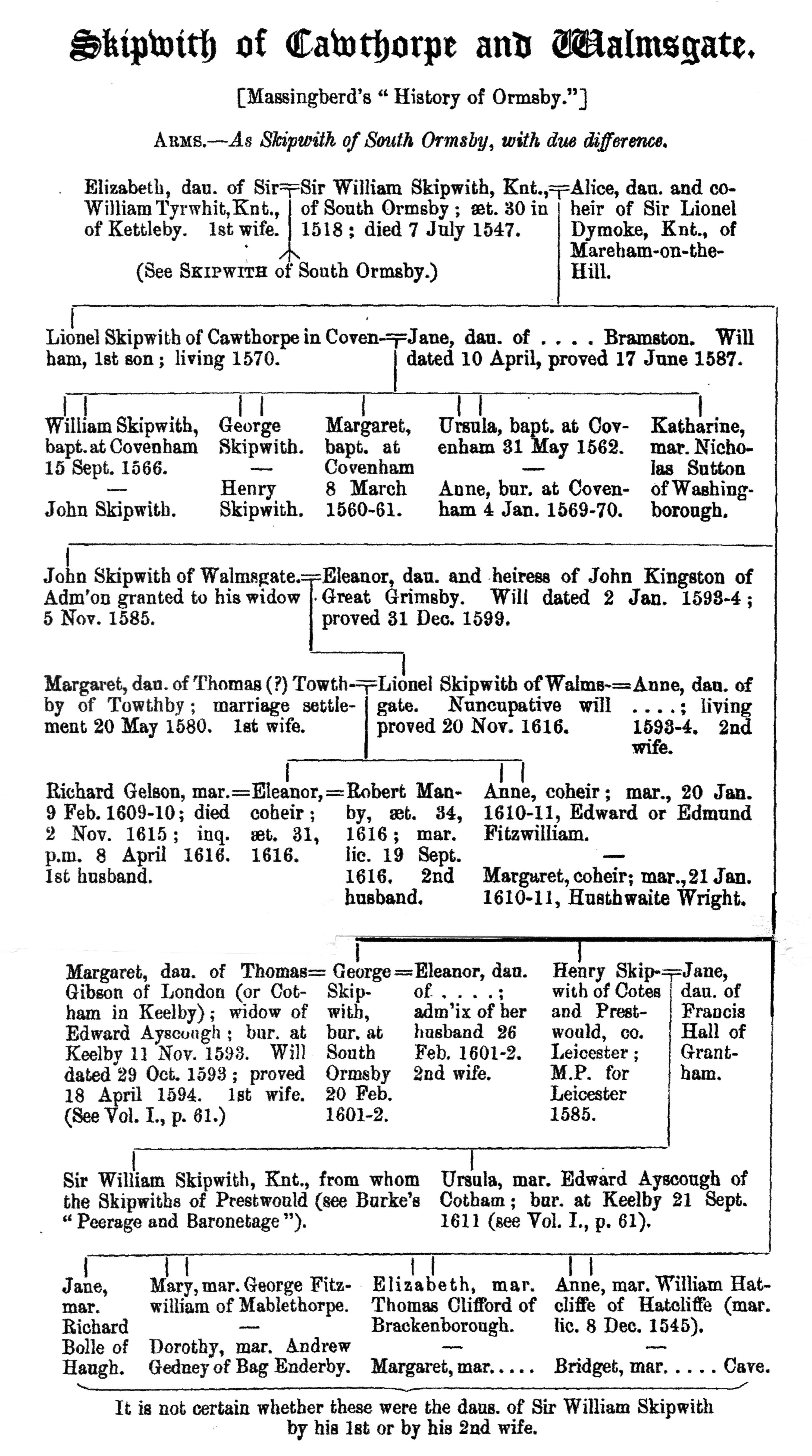


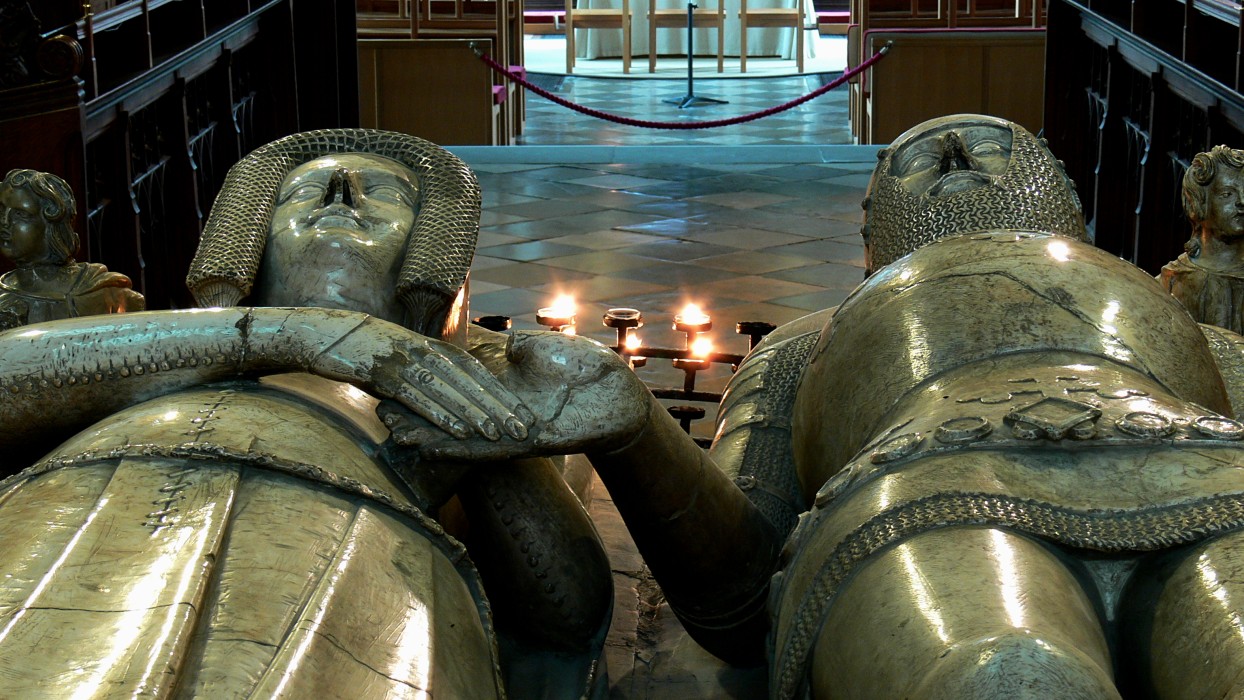




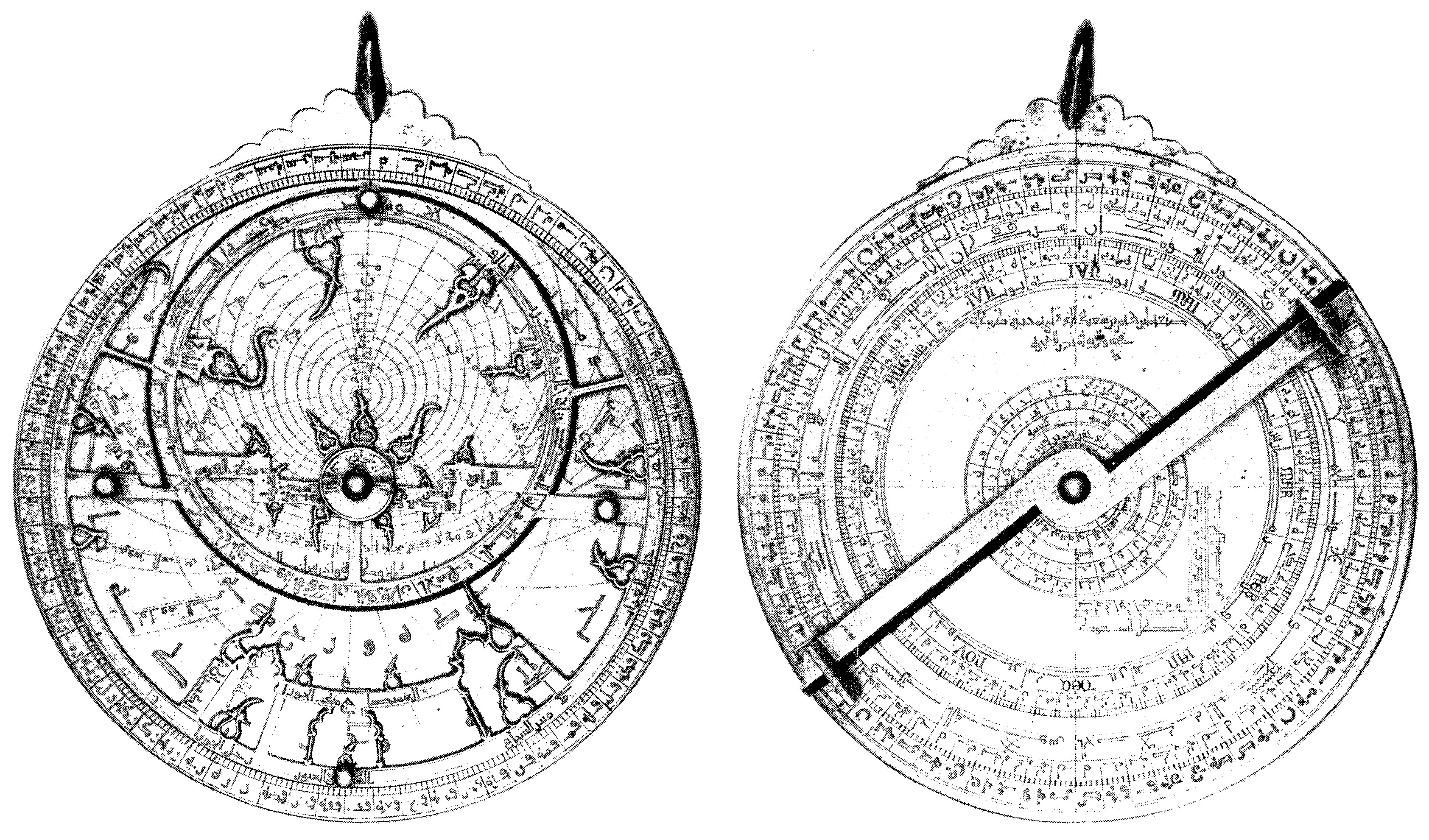


 acme nuklear blimp & robotics
You must be logged in to post a comment.